Copyright © 2026 - orienthink Team. All Rights Reserved
Information from your device can be used to personalize your ad experience.

Copyright © 2026 - orienthink Team. All Rights Reserved
Information from your device can be used to personalize your ad experience.
Compare Mailchimp vs HubSpot features, pricing, email automation, and CRM capabilities to find the right marketing platform for your business.
You have likely looked at email marketing platforms to handle your campaigns, engage your customers, and automate repetitive tasks. But when selecting between an email-centric solution and a more comprehensive CRM system, there’s more to it than templates and pricing. We’ll be looking at features, automation, pricing, integrations, and real-life business scenarios to help you determine which one is right for you.
Key Takeaways:
Mailchimp and HubSpot
Mailchimp and HubSpot are marketing platforms that enable businesses to communicate with customers, manage contact lists, and automate marketing efforts.
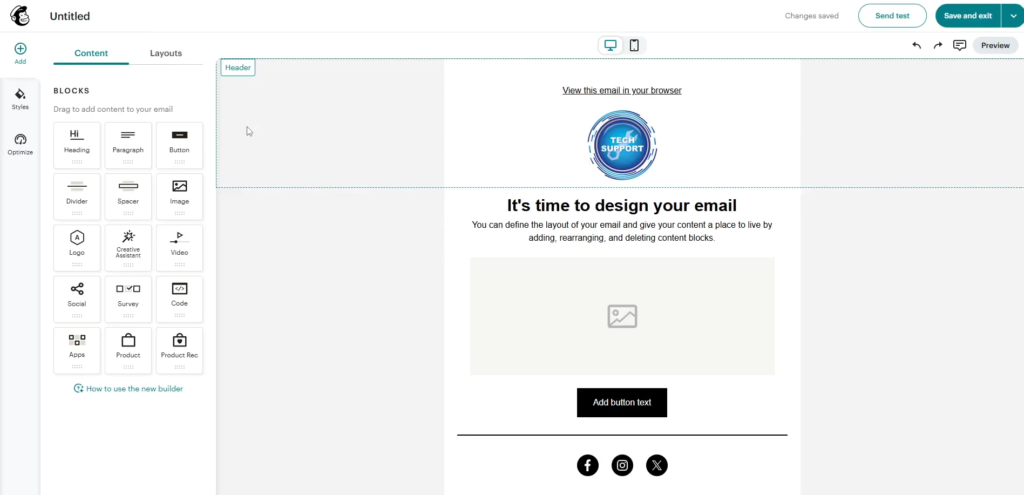
Mailchimp is a marketing platform that allows for email marketing, managing customer lists, and automating communication. Furthermore, Mailchimp features newsletters, promotions, audience segmentation, signup forms, landing pages, and automated customer journeys. For instance, an online retailer can distribute product updates to subscribers and automatically follow up after sales. Mailchimp also offers marketing automation flows, which leverage customer data and behavioral triggers to send relevant messages.
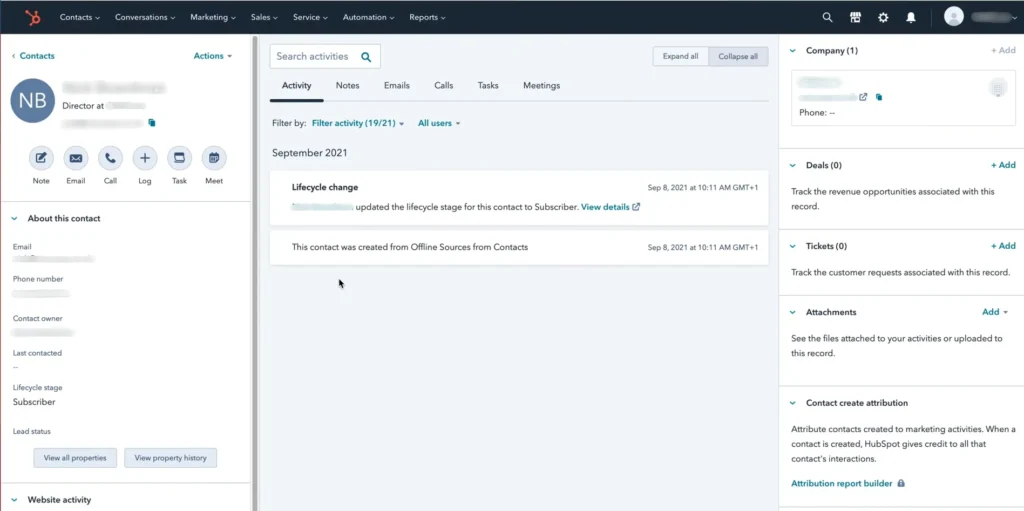
HubSpot is a CRM that brings marketing, sales, and customer service tools together in a single customer data environment. What’s more, HubSpot integrates email marketing, contact management, automation, and sales features. For instance, in a service business, a prospect’s first enquiry, marketing interactions, and sales journey can be followed via linked customer records. HubSpot’s marketing automation features also include lead nurturing, follow-ups triggered by forms, and personalized customer journeys.
The main difference between Mailchimp and HubSpot is the platform they focus on. Mailchimp is all about email marketing and engagement with the audience, whereas HubSpot offers a wider, CRM-focused platform.
| Comparison | Mailchimp | HubSpot |
| Primary focus | Email marketing | Integrated CRM and marketing |
| Campaign management | Newsletters and promotional emails | CRM-connected marketing campaigns |
| Automation | Customer journeys and email workflows | Marketing and customer workflows |
| Contact management | Audience and subscriber management | Dedicated CRM records |
| Sales functionality | Marketing-focused audience tools | Sales pipeline and lead management |
| Typical application | Email-focused businesses | Connected marketing and sales teams |
When comparing Mailchimp vs. HubSpot, you need to consider how your marketing platform impacts campaign efficiency, customer data organization, automation capabilities, and long-term software costs. Furthermore, ensuring your chosen features align with real business needs minimizes unnecessary subscriptions and complex implementations. A freelancer who sends monthly newsletters, for instance, doesn’t need the same advanced customer-management setup as a sales team managing hundreds of prospects.
Businesses should also evaluate how marketing platforms connect with existing applications and workflows. Explore our guide to email marketing tools for small businesses.
Mailchimp and HubSpot provide overlapping marketing capabilities, but their features differ across email campaigns, automation, CRM, pricing, integrations, and reporting.
Email marketing is the process of designing, sending and tracking correspondence to a specific audience. Furthermore, both platforms offer campaign building, personalization and audience management tools. Mailchimp allows you to segment your audience using customer data and behavior, and HubSpot integrates marketing emails with CRM information.
Email marketing automation is a process where the sending of emails is automated based on predetermined conditions, customer data, and workflow rules that are set up in advance, depending on customer actions or lifecycle stages. For instance, a welcome e-mail can be sent out to a subscriber after registration, and an abandoned cart reminder can be sent out after a customer has left without finishing a purchase.
Mailchimp provides customizable automation flows and prebuilt customer journey templates. HubSpot supports CRM-powered workflows, lead nurturing, and automated follow-ups.
But, availability of automation depends on the subscription and complexity of the workflow. HubSpot’s Starter email workflows come with known limitations, and more advanced automation features are available with higher-tier subscriptions.
CRM software organizes customer information and interactions to support relationship management. Moreover, Mailchimp provides audience management, segmentation, and customer engagement tools. HubSpot offers a dedicated CRM environment connecting contact information with broader marketing and sales activities.
For instance, a sales rep can monitor a prospect’s interactions and deal development in HubSpot, and a newsletter creator can arrange subscribers into targeted Mailchimp audiences.
Mailchimp and HubSpot have subscription pricing models based on contacts, seats, features and service needs.
The following figures reflect publicly displayed starting prices on their official pricing pages in October 2026. Actual costs depend on selected configurations, billing terms, and eligibility for promotional offers.
| Pricing | Mailchimp | HubSpot |
| Free option | $0, up to 250 contacts | $0, up to 2 users |
| Entry paid pricing | Essentials displayed from $13/month | Starter displayed from $7/seat/month promotional pricing |
| Standard entry pricing | Standard displayed from $20/month | Starter displayed at $20/seat/month |
| Advanced options | Premium | Professional and Enterprise |
| Pricing factors | Contacts, plan, sending limits | Seats, marketing contacts, subscription |
| Additional costs | Applicable contact or sending overages | Higher tiers and onboarding fees |
Importantly, HubSpot Marketing Hub Professional starts at $800 per month (billed annually), plus a mandatory $3,000 setup fee. The cost of the Enterprise tier begins at $3,600 per month, accompanied by a one-time $7,000 startup fee.
Mailchimp’s official pricing page offers Free, Essentials, Standard, and Premium plans. While the Free plan covers up to 250 contacts, exceeding this limit or your monthly send cap will immediately pause your campaigns until you upgrade. On paid tiers, unexpected contact growth and automatic overage blocks will quickly impact your bottom line. Don’t just look at the initial subscription rate listed; look at the total cost of the subscription as your list scales.
Integrations connect marketing platforms with external applications, while analytics measure campaign performance and customer engagement. Both platforms support connected workflows, though the available functionality depends heavily on your specific applications and subscription tiers. When deciding, businesses should evaluate e-commerce connections, reporting dashboards, team seat limits, and existing software compatibility. For instance, an online retailer may prioritize e-commerce integrations and campaign revenue reporting, whereas a sales team will focus on CRM-connected customer activity.
Mailchimp and HubSpot suit different operational requirements depending on whether a business prioritizes email campaigns or connected customer management.
Mailchimp may suit businesses that:
HubSpot may suit businesses that:
For example, a small online shop might use Mailchimp for newsletters and promotional campaigns, while a growing service company might use HubSpot to connect inquiries, sales follow-ups, and customer records.
Mailchimp and HubSpot support email marketing, automation, and customer engagement, but their broader platform purposes differ. Mailchimp emphasizes email campaigns and audience management, while HubSpot connects marketing with CRM, sales, and customer service capabilities. Both can support business growth when their features align with operational requirements.
Ultimately, the right platform depends on your marketing objectives, CRM needs, budget, integrations, and expected growth. Evaluate real workflows, compare total costs, and choose the solution that supports your business today while accommodating future requirements.